
Overview
The Reset cPanel feature allows you to completely recreate your hosting account with a fresh cPanel installation while keeping the same hosting package. This option is useful if you want to start over with a clean hosting environment.
Before You Begin
⚠️ Important: Resetting your cPanel account will permanently delete all existing data associated with the hosting account, including:
- Website files
- Databases
- Email accounts
- Email messages
- Backups
- SSL certificates
- Subdomains
- Addon domains
- DNS settings
- All other hosting configurations
This action cannot be undone.
Steps to Reset Your cPanel Account
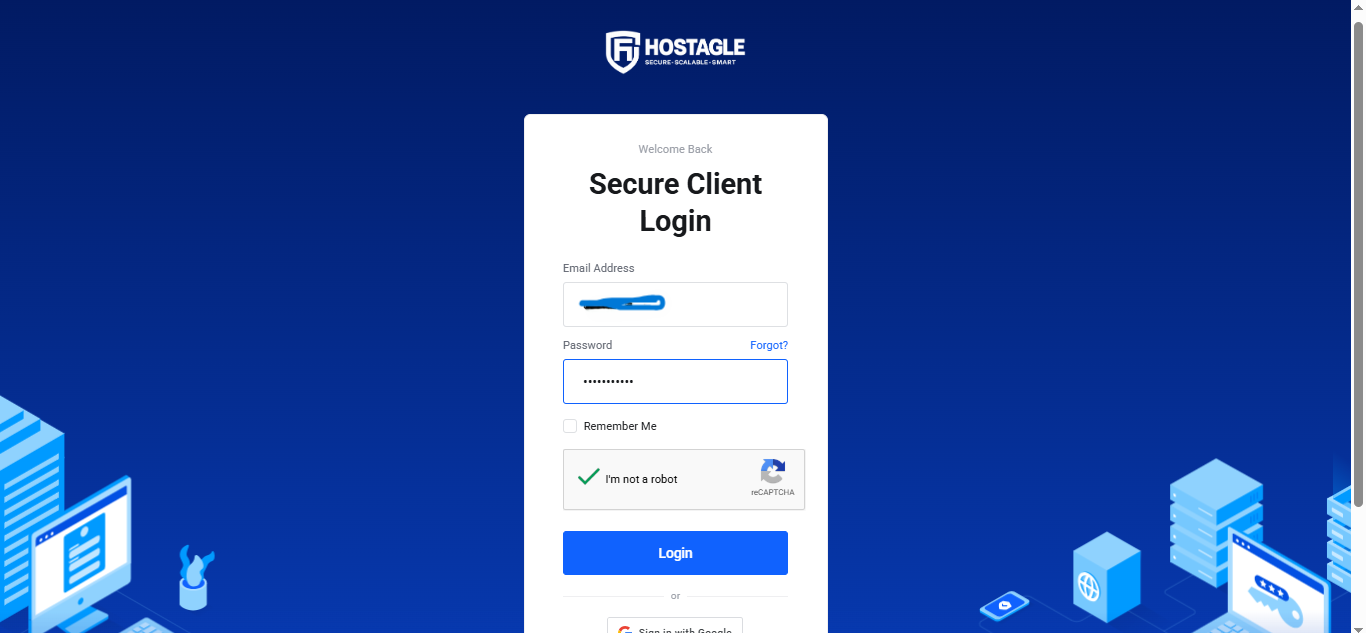
Step 1: Log in to Your Client Area
Sign in to your Hostagle Client Dashboard using your registered email address and password.

Step 2: Open Your Hosting Service
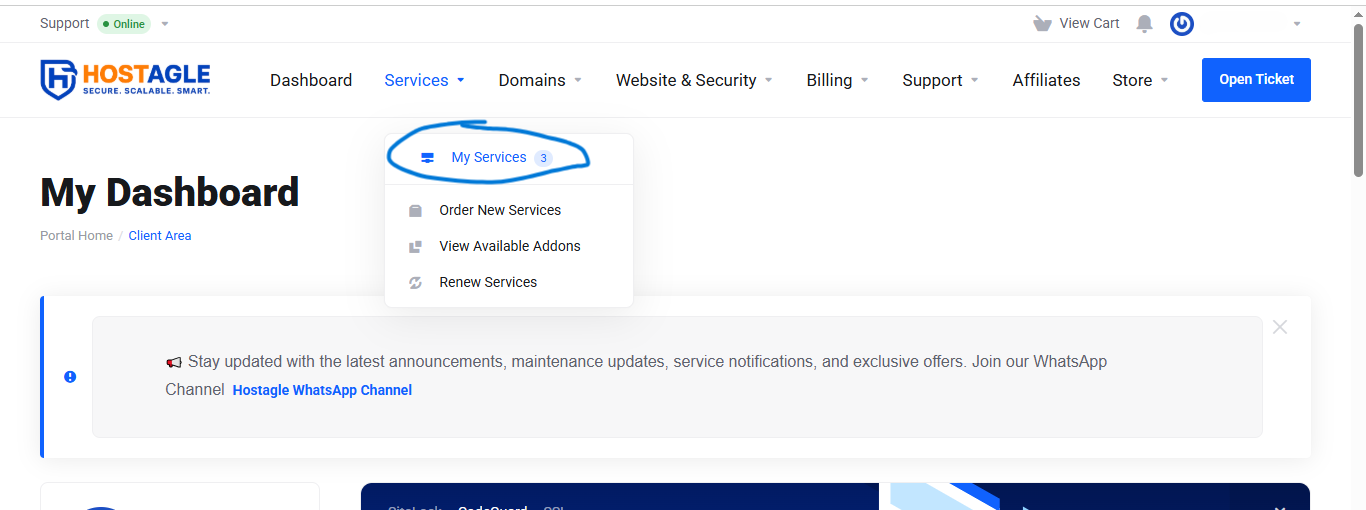
Navigate to:
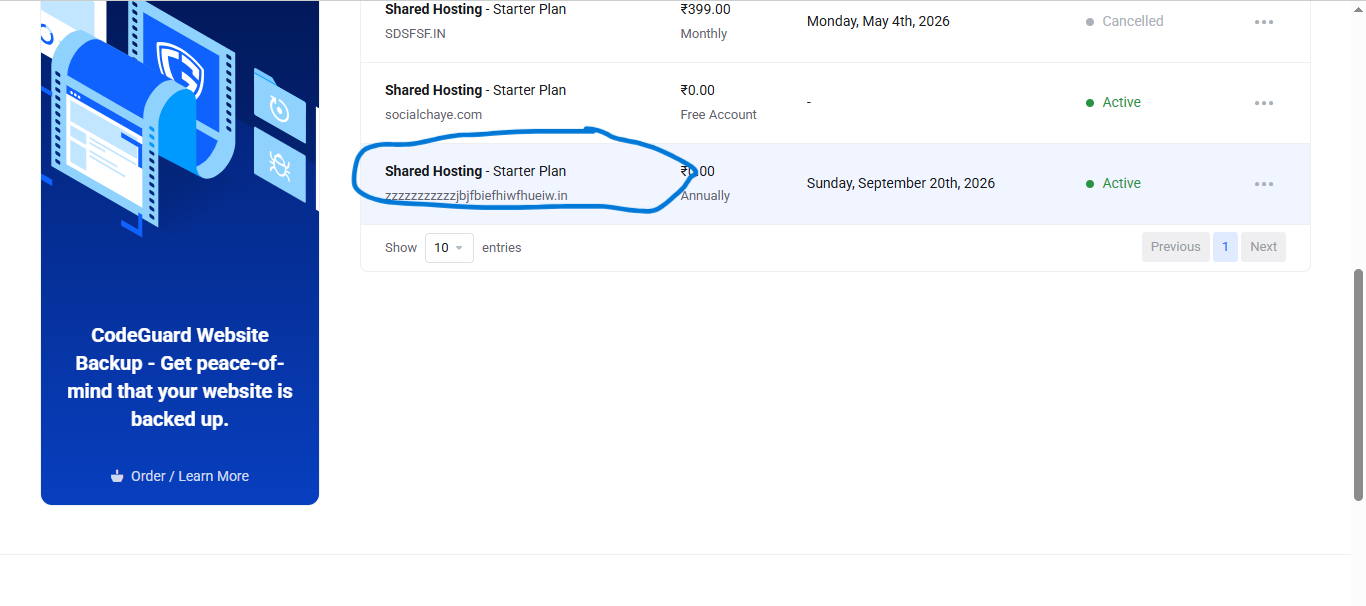
Services → My Services
Select your active hosting service.
Step 3: Start the Reset Process
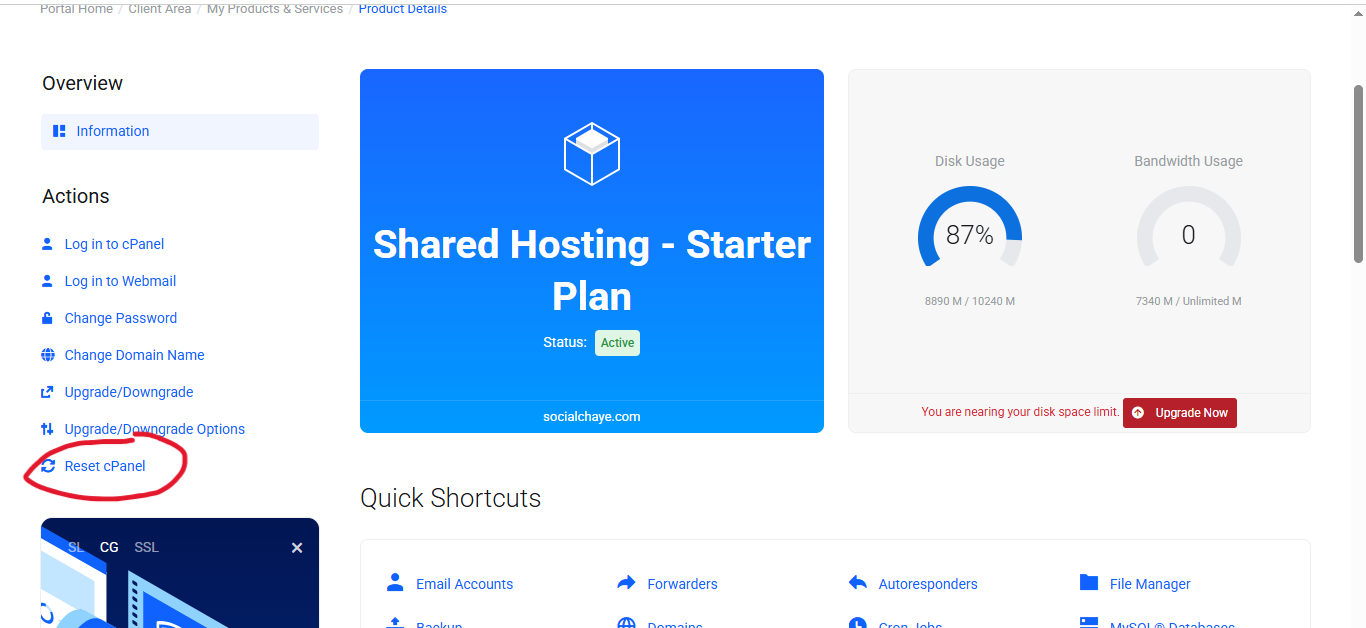
Click the "Reset cPanel" button from the hosting management panel.
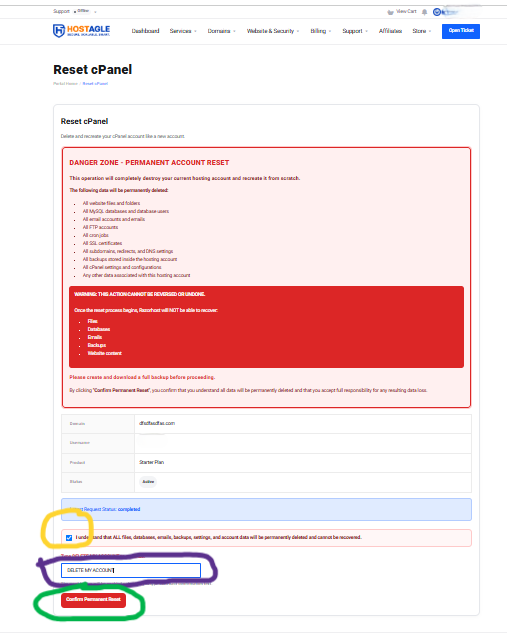
Step 4: Confirm the Reset
Review the warning message carefully and confirm that you want to reset your hosting account.
Step 5: Request Processing
The system will automatically submit your reset request for processing.
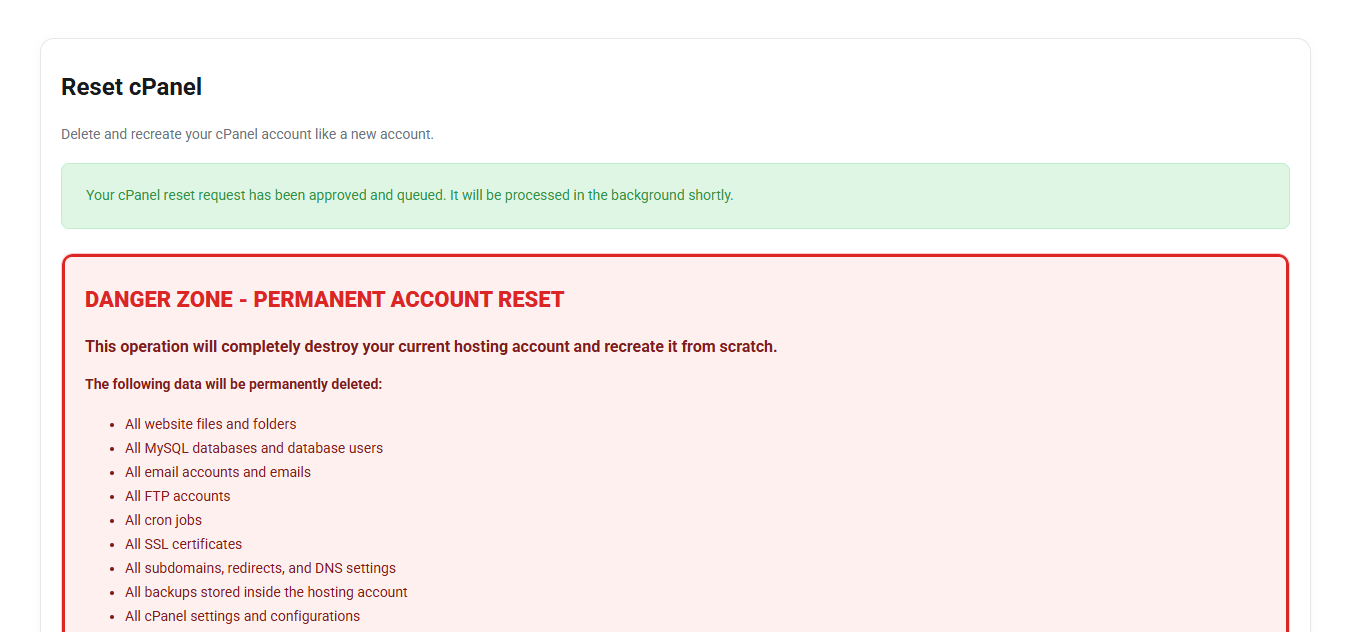
Step 6: Account Recreation
During the reset process:
- Your existing cPanel account will be permanently removed.
- All hosting data will be deleted.
- A brand-new cPanel account will be created automatically.
- Your hosting package and resource limits will remain unchanged.
Step 7: Access Your New cPanel Account
Once the reset process is completed, you can log in to your new cPanel account and begin building your website from scratch.
Important Warning
⚠️ This action is irreversible.
Hostagle cannot recover deleted files, databases, emails, or account settings after a cPanel reset has been completed.
We strongly recommend creating and downloading a complete backup of all important data before proceeding.
Need Help?
If you have any questions about resetting your cPanel account, please open a support ticket through your Hostagle Client Area before proceeding with the reset.