
Overview
Hostagle's Auto Domain Changer feature allows you to change the primary domain of your hosting account without deleting your existing website data. This process is fully automated and does not require manual approval from our support team.
Benefits
- No website files are deleted
- No database data is removed
- Instant automated processing
- No support ticket required
- Existing hosting account remains active
Steps to Change Your Primary Domain
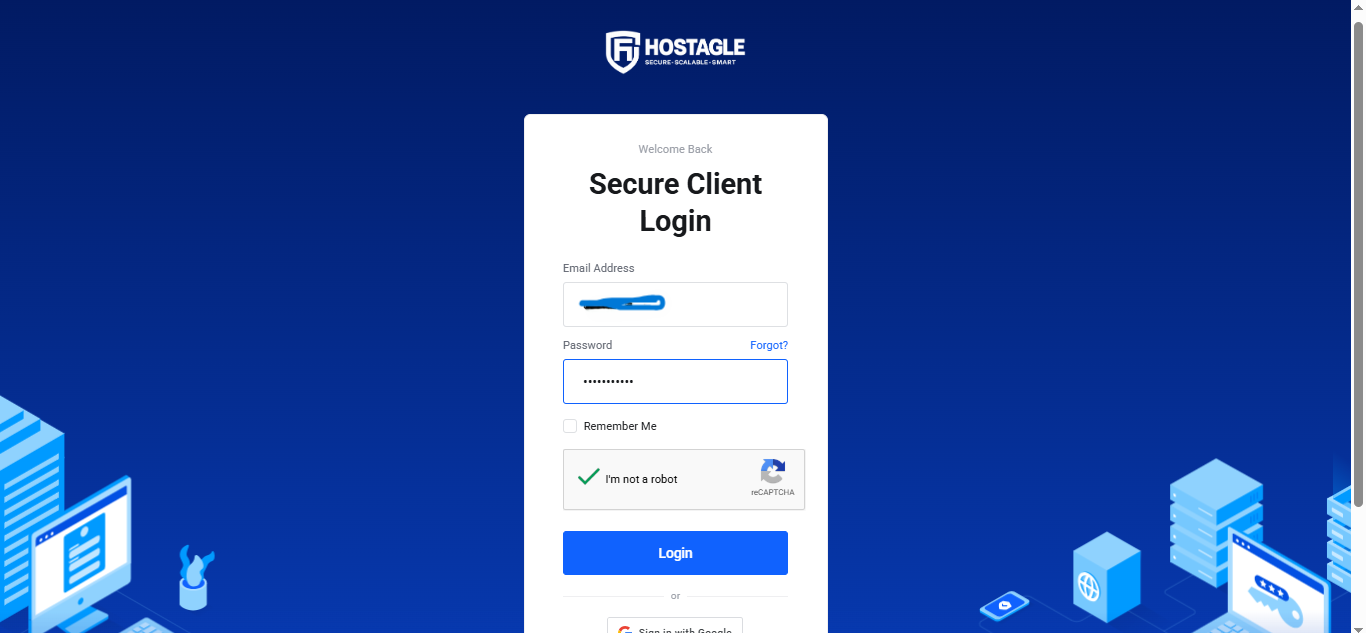
Step 1: Log in to Your Client Area
Sign in to your Hostagle Client Dashboard using your registered email address and password.

Step 2: Open Your Hosting Service
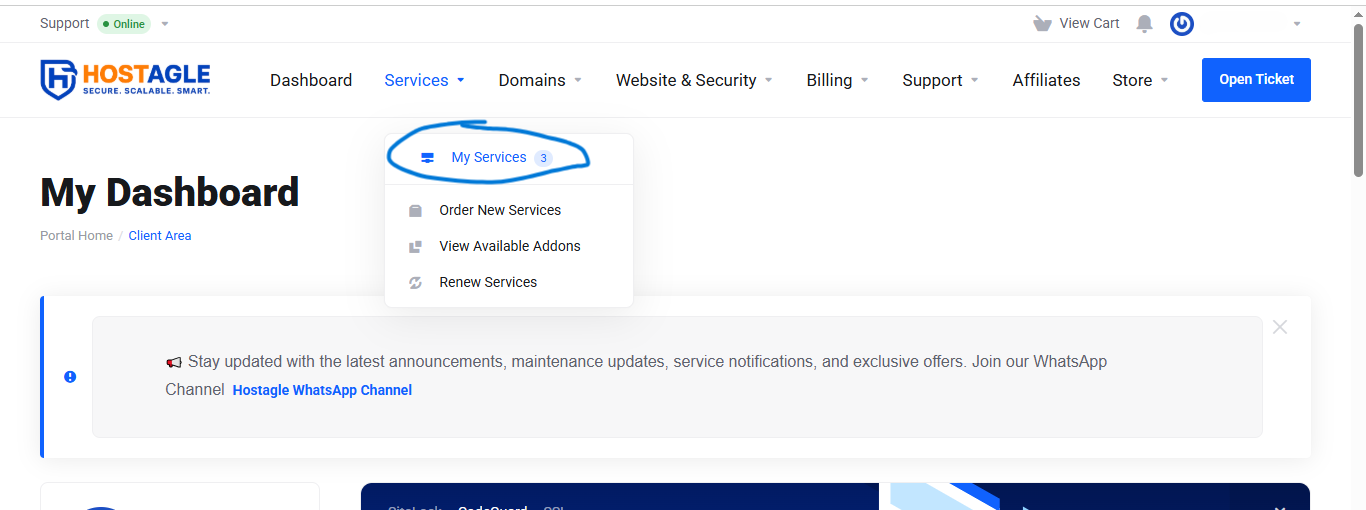
Navigate to:
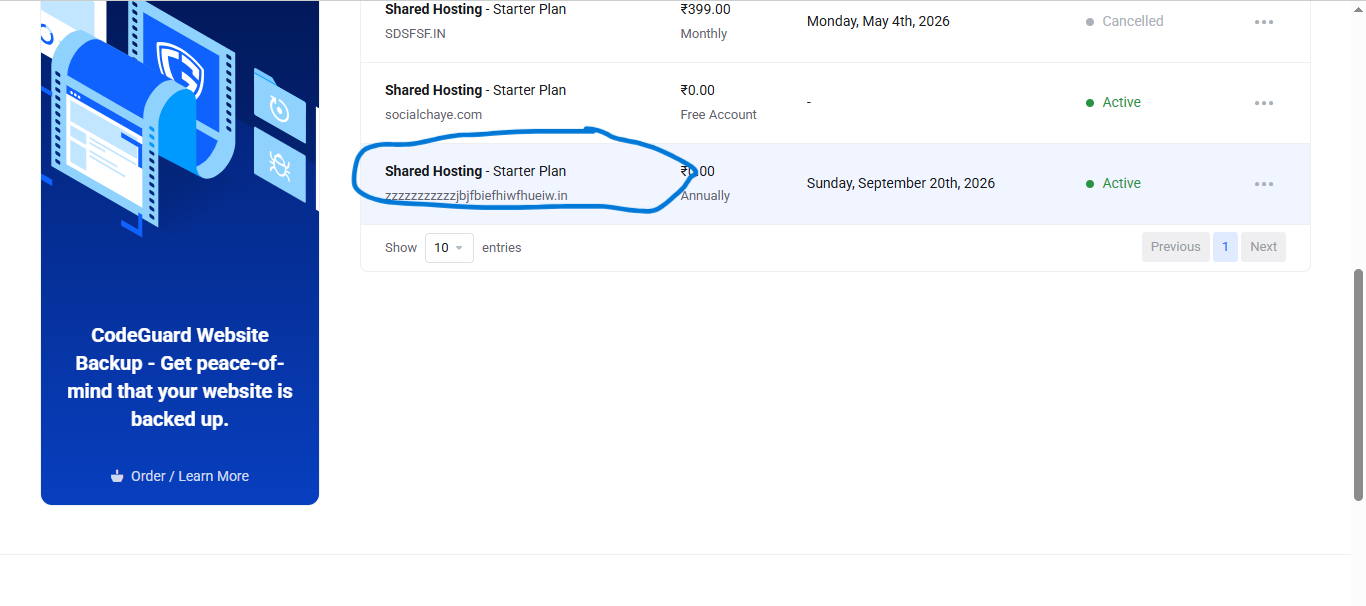
Services → My Services
Select the hosting service for which you want to change the primary domain.
Step 3: Access the Domain Change Option
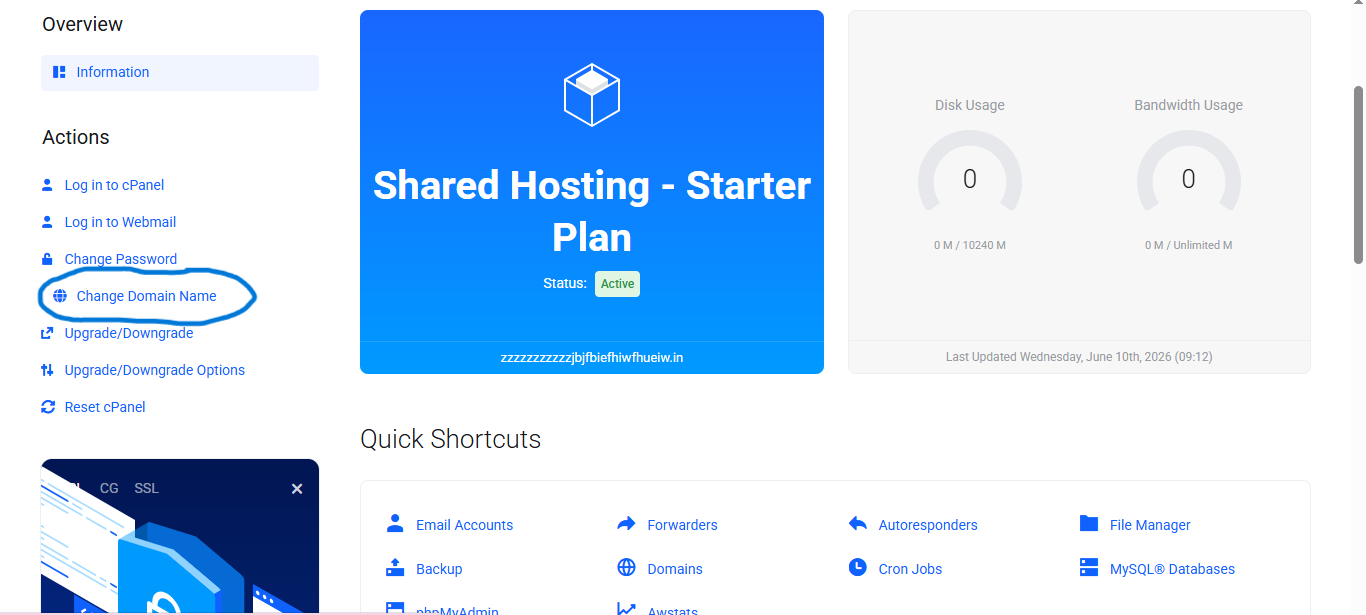
Click on the "Change Primary Domain" button available within your hosting management panel.
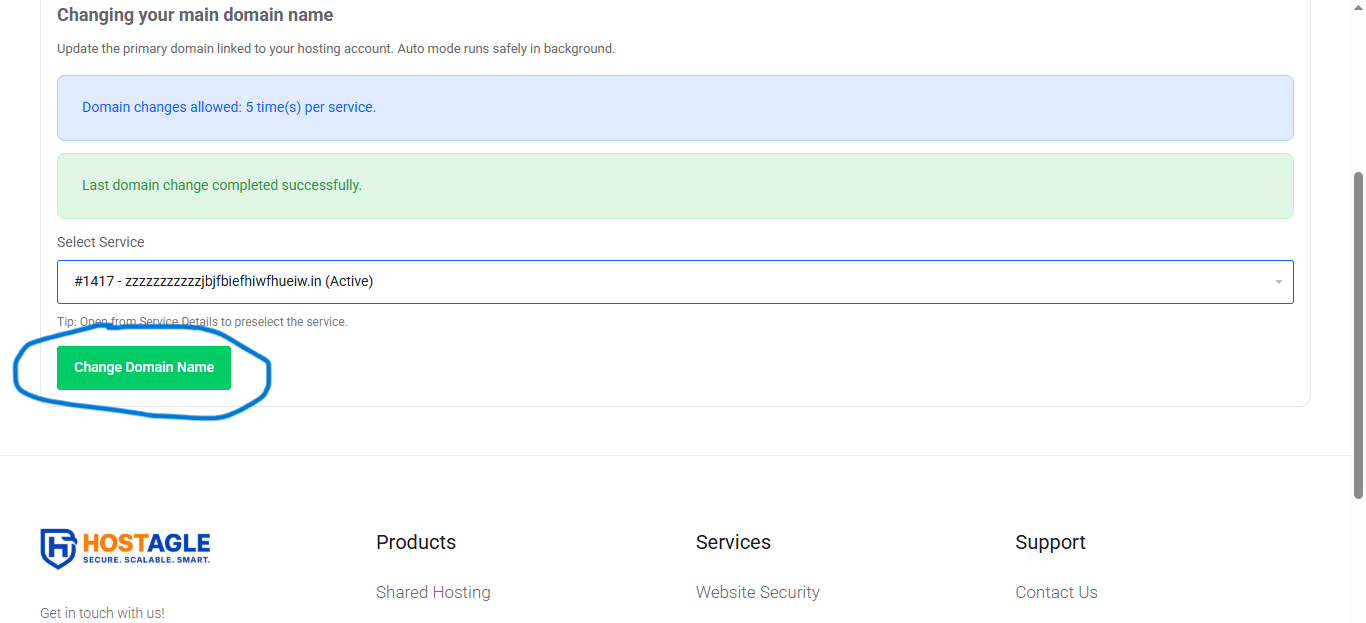
Step 4: Enter the New Domain
Type the new domain name you wish to use as your primary domain.
Example:
- Current Domain: olddomain.com
- New Domain: newdomain.com
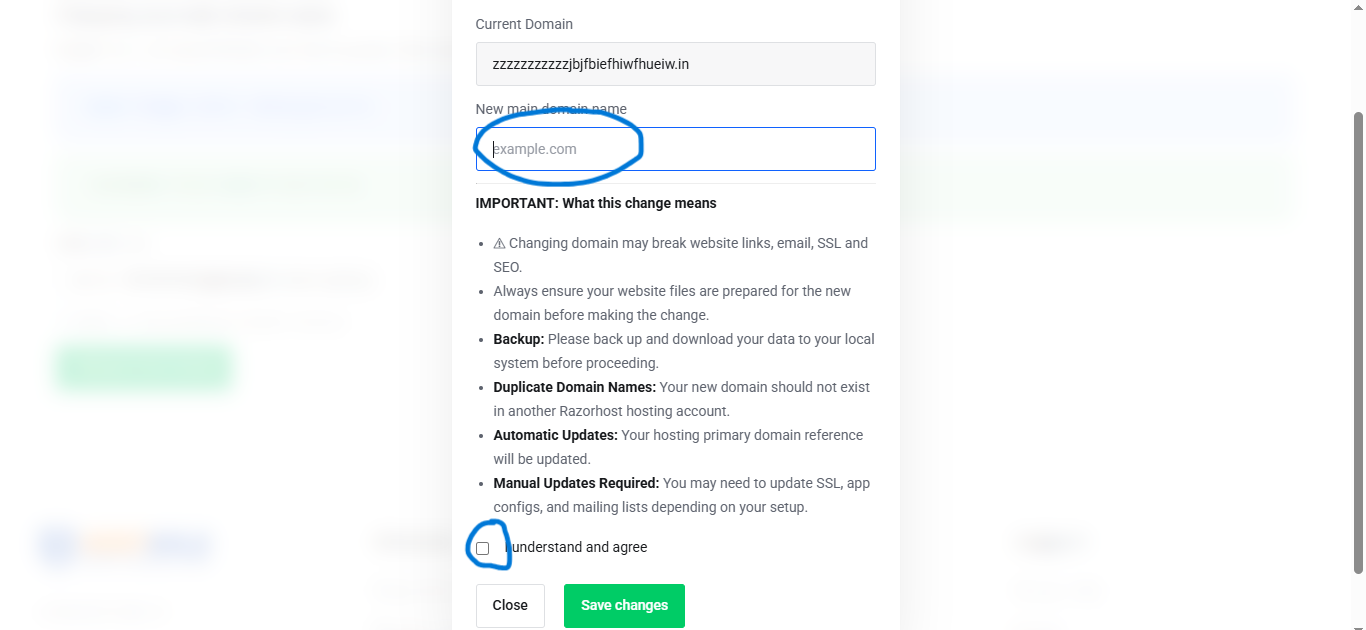
Step 5: Confirm the Request
Review the entered domain name and click "Confirm".
The system will automatically process the request and update your hosting configuration.
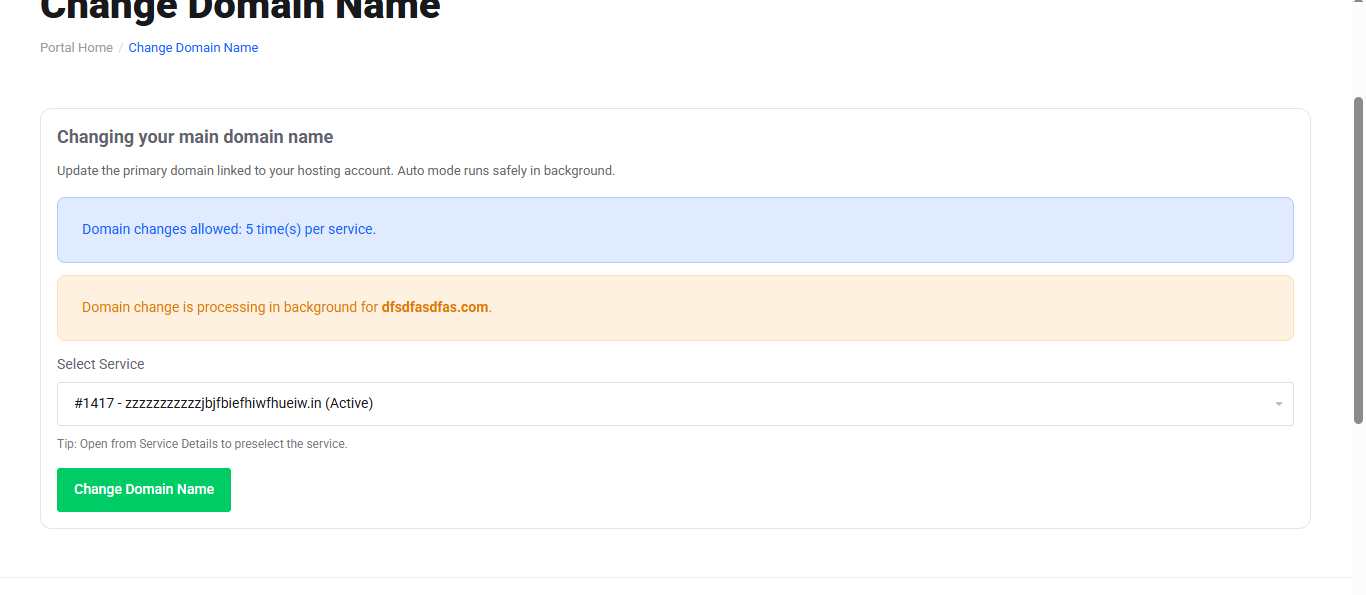
What Happens After the Change?
Once the request is completed:
- Your hosting account will be linked to the new primary domain.
- Existing website files and databases will remain intact.
- Hosting settings will be updated automatically.
- No website data will be deleted during the process.
Important Notes
- Ensure the new domain is registered and active.
- DNS propagation may take up to 24–48 hours depending on your domain's DNS settings.
- You may need to update website configuration files if your website uses hardcoded URLs.
- Email accounts associated with the old domain may require reconfiguration.
Need Assistance?
If you experience any issues while changing your primary domain, please contact Hostagle Support through your Client Area support ticket section.