
How To Change Hosting Primary domain Name?
Please log in to your client area, where you can update the domain name associated
with your cPanel or Plesk hosting.
Now Click the view details Button.

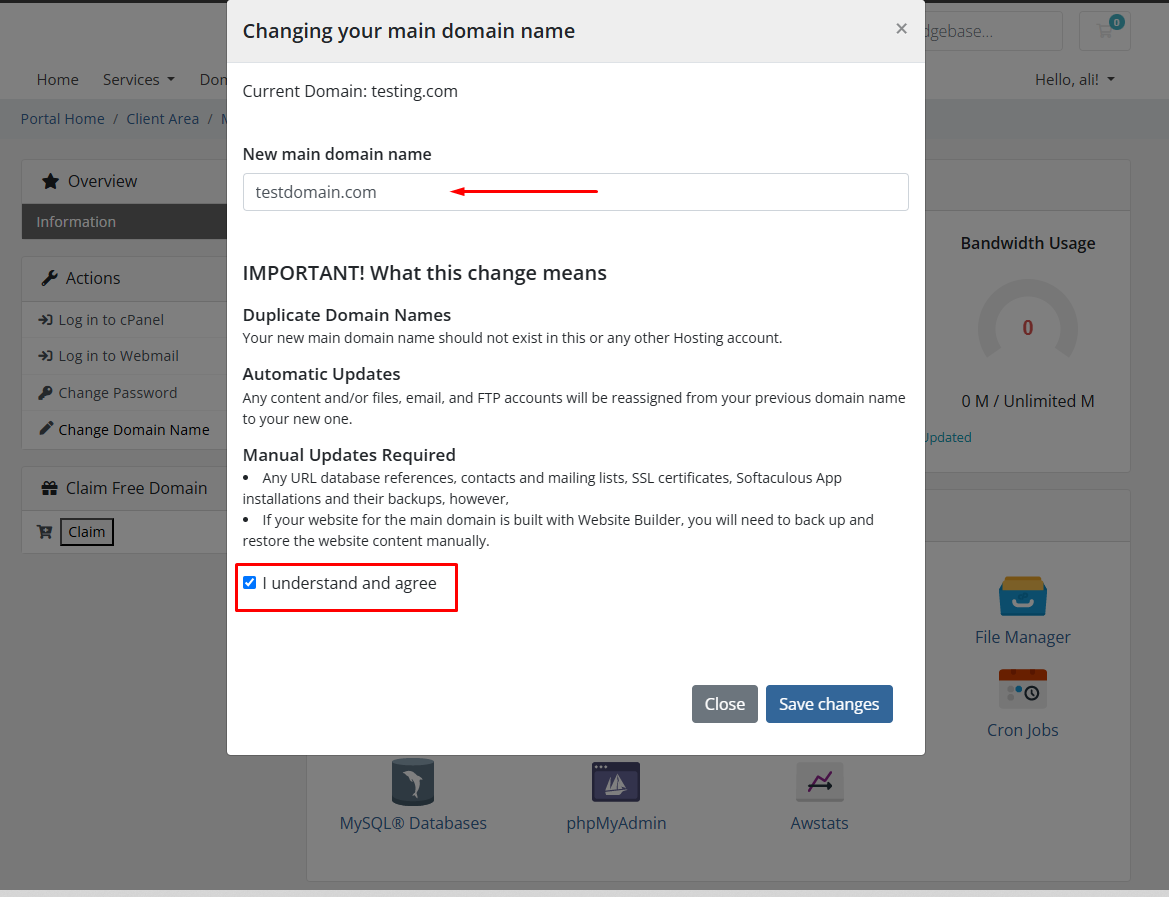
Click The Change Domain Name a Popup appears.


Here you can enter the domain name according to your desire. Also please check the
field of understand and agree. And click Save Changes.
Your domain is successfully changed.

Also you can see this domain on your cPanel by simply clicking the button of log in to cPanel.


Conclusion:
Thank you for reviewing this document. If you have any questions or need further
assistance, please feel free to reach out.